Binance rejects your authenticator code: clock, browser, app, then reset
Three checks come before any reset: the phone clock on automatic and in step with the computer, a fresh browser session or the Binance app, and each Binance.com entry in the authenticator. Binance lists the reset last, and a reset pauses withdrawals for up to 48 hours.
| What you see | What it means | Where to go |
|---|---|---|
| The authenticator app shows a 6-digit code, and Binance answers with a code error | Binance does not accept the code | Start with the clock |
| The app on this phone has no Binance.com entry at all, for example on a new phone | The authenticator for Binance is not on this phone | Lost authenticator and locked out of Binance |
| The screen waits for an email or SMS code that never comes | A delivery problem, not a wrong code | Verification code not received |
| A system prompt asks for a passkey | A different method: a passkey signs you in with the phone or computer’s own screen lock, and no code is typed | Binance asks for a passkey you do not have |
1. Authenticator code wrong on Binance: check the phone and computer clocks
Google says: “The codes that Google Authenticator generates depend on the correct time on your Android device.” Binance’s page on the error starts in the same place: “Synchronize the time on your phone with the device from which you’re attempting to log in.”
- On the phone, open the date and time settings and turn on automatic date and time.
- On the computer you log in from, make sure the clock matches the phone. Turning on automatic time is one way to do it. Binance’s Google Authenticator setup page names both devices: “Try to synchronize the time on your mobile phone (to synchronize your Google Authenticator app) and your computer (from which you attempt to log in).”
- Go back to the authenticator and enter the code it shows now.
For a failed setup, Binance’s instruction is the same: make sure the date and time setting on the phone is set to “automatic”.
Older versions of Google Authenticator on Android also had a clock fix inside the app: More, Settings, Time correction for codes, Sync now. Google says that sync “will only affect the internal time of your Google Authenticator app” and does not change the phone’s Date & Time settings. Current versions no longer have it. Google’s main Authenticator page says: “The time correction setting is no longer available in version 7.0. The app now uses the time setting on your operating system.” So if the menu item is missing, the phone’s own clock is the one to fix.
2. Code still refused with the right time: private window or the Binance app
If both clocks are right and the code is still refused, the rest of Binance’s list is about where you type it:
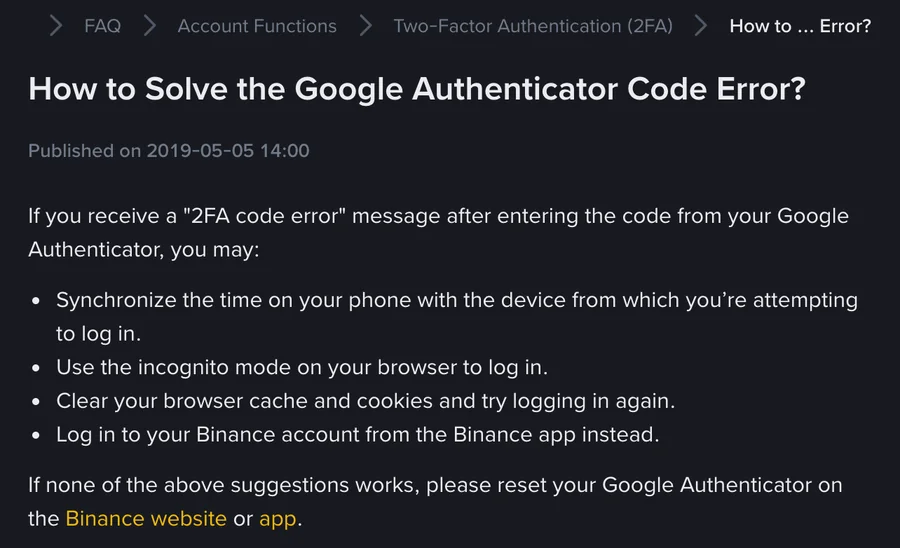
- “Use the incognito mode on your browser to log in.”
- “Clear your browser cache and cookies and try logging in again.”
- “Log in to your Binance account from the Binance app instead.”
These cost nothing and change nothing on the account, so try all three before anything that does.
Binance’s help pages call this problem a “2FA code error” (the page on the Google Authenticator code error) or a “verification code error” (the FAQ on the Google Authenticator setup page). 2FA is the second check after your password, here the 6-digit code from the authenticator app. Both pages list the same fixes, in the same order: the clock first, then the browser or the app, and a reset last.
3. Several Binance.com entries in the authenticator: which code to try
When an authenticator is set up, Binance’s setup pages say “You should see a new account named “Binance.com” added” to the app.
- If the app shows more than one Binance.com entry, try the code from each one in turn.
- When one works, rename it so the next login is not a guess. In BAuthenticator, swipe left on the code and tap [Edit]. In Google Authenticator on Android, swipe left on a code to show the edit option and update the username.
- Keep every entry you are not sure about.
Check the app as well as the entry. Binance binds Google Authenticator and BAuthenticator from the same place, [Manage] next to [Authenticator App] under [Security], and both add a Binance.com entry. If both apps are on the phone, look for a Binance.com entry in both. When the authenticator is changed, Binance’s BAuthenticator page asks for “the 6-digit code from your new authenticator” before you submit.
4. Binance authenticator code still invalid: reset or change it
Binance’s page ends: “If none of the above suggestions works, please reset your Google Authenticator on the Binance website or app.” How you do that depends on whether you can still get in.
| Your situation | What to do | Hold afterwards, as Binance’s pages state it |
|---|---|---|
| Logged in, and able to complete the 2FA check the change page asks for | In [Account], [Security], click [Manage] next to [Authenticator App], then the edit icon. Complete 2FA, scan the new QR code, enter the 6-digit code, [Submit] | Google Authenticator change page (updated March 2026): withdrawals, internal transfers and P2P “disabled for up to 48 hours”. Older BAuthenticator page (2021): withdrawals and P2P trades (buying or selling crypto directly with another user) “disabled for 24 hours” |
| Stuck at the login | The 2FA reset from the login page, through [Security verification unavailable?] | Withdrawals, P2P selling, internal transfers and payment services disabled for up to 48 hours; a reset under review “may take up to 24 hours” |
For a change while logged in, the two pages give different holds, and the newer Google Authenticator page says up to 48 hours.
On the Reset Security Verification page, check every 2FA method you have lost access to, as Binance asks: “Please check all the 2FA devices that you’ve lost access to.” The full set of login-page steps and the possible results are in the Binance authenticator reset when you cannot log in. One of those results, [Application Denied], means you “need to double-check your available 2FA devices and try again”, according to Binance’s reset page. If the reset also asks for a new phone number or email, the steps for replacing those contacts are in changing the email or phone number on Binance.
The hold runs whichever path you take, and Binance’s pages give no way to shorten it. Plan any withdrawal around it.
New phone: move the authenticator before the old one goes
A new phone only has the Binance.com entry if it was synced or transferred to it. Moving it while the old phone still works avoids the reset.
Google Authenticator. Google says that “When you sign in to your Google Account within Google Authenticator on a new device, your codes are automatically synced to this device.” For syncing, Google lists version 6.0 or above on Android and version 4.0 or above on iOS. Without a Google Account, transfer by hand:
- Install Google Authenticator on the new phone.
- On the old phone, tap Menu, Transfer codes, Export codes, unlock the phone, select the accounts and tap Next. Google says you need the latest version of the app on the old device.
- On the new phone, tap Menu, Transfer codes, Import codes, and scan the QR code from the old phone.
BAuthenticator. Binance’s page says you can export an account to another device: swipe left on the code, tap [Export], and scan the QR code with the new device.
Keep the old phone until a Binance login with a code from the new one has worked. If that login fails, you are back at step 1 with a second device to compare against. If the old phone is already gone, see the Binance authenticator reset when you cannot log in.
Binance and Google help pages used · checked November 2026
The four fixes and the reset fallback are from Binance’s “How to Solve the Google Authenticator Code Error?” (published 5 May 2019, no update date shown). The two-device clock instruction, the “automatic” setting and the Binance.com entry are from “How to Enable Google Authenticator for 2FA on the Binance Website?” (updated 10 December 2025). The change steps and the 48-hour hold after changing Google Authenticator are from “How to Change My Google Authenticator on the Binance Website?” (updated 11 March 2026); renaming, exporting and the 24-hour hold after changing BAuthenticator are from “How to Use BAuthenticator for 2FA on the Binance Website?” (published 7 September 2021, no update date shown). The login-page reset, its 48-hour hold and the 24-hour review are from “How to Reset 2FA When I Can’t Access My Binance Account?” (updated 18 March 2026). Time sync on Android is from Google’s “About Time sync for Google Authenticator on Android”; the removal of the setting in version 7.0, syncing, transfer and editing are from Google’s “Get verification codes with Google Authenticator”. Neither Google page shows a date. All pages were read in November 2026. Hold lengths and menu names change, so check the live pages: Google Authenticator code error, How to Reset 2FA, and Get verification codes with Google Authenticator.
Authenticator codes Binance will not accept
Why does Binance say my Google Authenticator code is wrong?
Binance's help page on the 2FA code error starts with the clock: synchronize the time on your phone with the device you are logging in from. Google says the codes depend on the correct time on the phone. If the clock is right, Binance's next suggestions are an incognito window, clearing the browser cache and cookies, or logging in from the Binance app.
Do I need to reset 2FA if the code is invalid?
Not as a first step. Binance lists the reset as the fallback, after the clock, the browser and the app have been tried. A reset or a change of authenticator is followed by a withdrawal hold, up to 48 hours after a 2FA reset according to Binance's reset page.
Can I move Google Authenticator to a new phone?
Yes. Google says that when you sign in to your Google Account in Google Authenticator on a new device, your codes are synced to it automatically. Without a Google Account, you export the codes from the old phone under Menu, Transfer codes, Export codes, and import them on the new one under Menu, Transfer codes, Import codes.
Is BAuthenticator set up differently from Google Authenticator on Binance?
No. Binance's pages bind both from Manage next to Authenticator App in the Security settings, both scan a QR code, and both add an entry named Binance.com. The pages give different holds after a change: up to 48 hours on the Google Authenticator page, updated March 2026, and 24 hours on the older BAuthenticator page from 2021.