A verification code that never arrives: check these in order
If the screen asks for an authenticator or a passkey, no code is coming at all. For an email code, check the registered address, spam, filters and a full inbox; for SMS, the coverage list, signal, blocker apps and voice verification. Reset the method only when those fail, because a reset pauses withdrawals.
First check: which method the screen is asking for
Binance verifies with four methods, and only two of them send a code: email and SMS. An authenticator app generates its own code on the phone; a passkey shows a system prompt and sends nothing. If the screen says “authenticator” or asks for a passkey, no code is on its way and no resend will help; the problem is a different one, covered in locked out of a Binance account and when Binance asks for a passkey you do not have.
If the screen names email or SMS, look at exactly which address or number it shows. If it is masked, to a few characters and the domain or the last digits of the number, compare those with the inbox you are watching. A code watched for in the wrong inbox looks like a missing code.
If it is the 6-digit code from the sign-up form, it stays valid for 30 minutes; the rest of the sign-up is in creating a Binance account.
Binance email verification code not received: six checks
Binance’s page on missing emails lists six checks, in this order.
- You are logged in to the registered address. Being signed out of a mail app on a phone means no new mail shows.
- The registered address is correct. Under the account’s security settings, the email on file is shown. If it is an old address, the fix is to change it, not to wait.
- The spam folder. If the provider pushes Binance mail into spam, Binance’s page says to mark it safe by whitelisting its frequently used sending addresses.
- Filters, firewalls and antivirus. The page asks you to check the email server settings for a conflict with a firewall or antivirus. On a company mailbox, that block can sit on the mail server, out of your sight.
- A full inbox. At the quota, nothing new arrives.
- The provider. Binance recommends registering “with email addresses from common domains, such as Gmail, Outlook, etc.”
Habits that make this worse: Pressing resend repeatedly produces several codes and no way to know which is live; wait a minute before asking again. And checking from a different device with a different mail setup can show mail that the first device filtered, so check from the web interface of the provider if the app shows nothing.
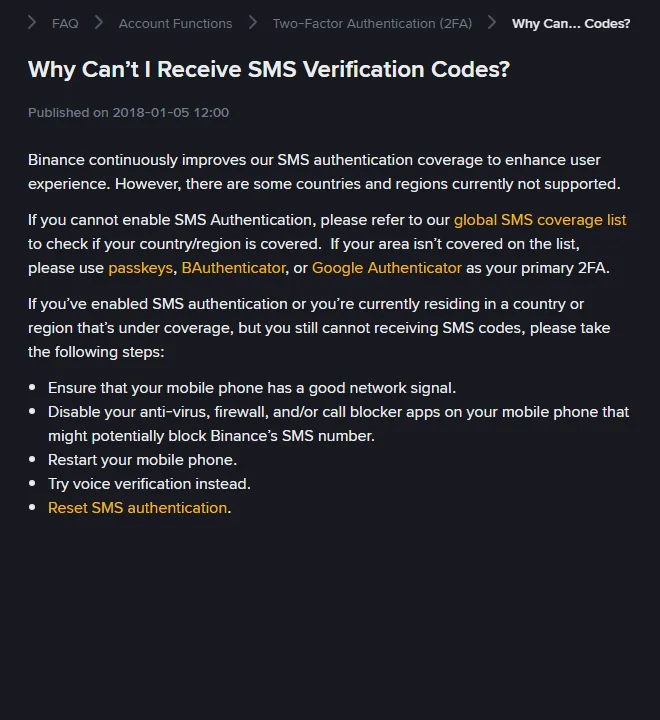
SMS code not received: check the coverage list first
Before anything else, check whether the exchange sends SMS to your country at all. Binance publishes a list of supported countries for SMS verification. If yours is not on it, Binance’s advice is to “use passkeys, BAuthenticator, or Google Authenticator as your primary 2FA”; retrying will not make an SMS arrive in a country that is not on the list.
Inside a supported country, Binance’s page gives the sequence:
- Make sure the phone has a good network signal.
- Disable anti-virus, firewall and call-blocker apps that might block the sender.
- Restart the phone.
- Try voice verification instead: the code is read out in a call.
- Reset SMS authentication.
Add to that: check the number on the account is written without a leading zero and that the country code is set in the drop-down rather than typed into the number; check that the SIM is actually in this phone and not in an old one; and if you are abroad, try the voice option early.
Coinbase or Kraken verification code not received
The order above is Binance’s, but the other exchanges’ pages run the same way. Coinbase’s 2-step verification page says that if the 6-digit SMS code does not arrive, “wait 30 seconds and select Resend code”, and that someone who has lost the phone follows the recovery process if SMS was the only method, or changes the number from inside the account if another method still works. Kraken’s account information page sends a missing email code to the spam folder first and then to its sign-in troubleshooting form, and gives one cause the others do not name: a confirmation code for a new email address will not arrive if “the new email might already be linked to another Kraken account”, including a closed one. On all three the sequence comes to the same thing: check the address or number on file, check the folder, resend once, then use a second method or the recovery form rather than requesting codes repeatedly.
When both email and SMS fail
If no code arrives by either route and you can still log in, check two causes: the account’s contacts are out of date, or a blocker is catching everything, such as a security app on the phone or a company mail filter. Change the contacts from inside the account, in security settings, while the login still works. On Binance a changed email disables withdrawals, internal transfers and P2P “for up to 24 hours”, and a changed phone number for up to 48 hours, which is cheaper than losing access.
If you cannot log in at all, because the login itself wants a code that cannot arrive, the route is the 2FA reset: on the login page, choose the method that is unavailable and follow “Security verification unavailable?”. It asks you to tick every method you have lost, verify with any you still have, set a new email or phone, and wait for the result; a reset is followed by a hold of up to 48 hours, and a reset that goes to manual review can take up to 24 hours. The full walk-through is in locked out of a Binance account.
Received a verification code you did not request
A code arriving when you did not request one can mean someone entered your login on the exchange’s site; it can also be a fake message, and Binance’s anti-phishing page says a fake SMS or call “does not necessarily mean your Binance account got hacked”. Do not enter it anywhere, do not reply, check the account’s activity log ([Account Activities] in the app, [Devices and Activities] on the website, both under [Security]), and change the password from a device you trust if anything there is not yours.
A message that asks you to call a number, open a “verify” link or act on a pending withdrawal should be checked rather than obeyed. Binance says account matters are handled only in its app and website, that a message asking you to call is a scam, and that an unexpected SMS should be checked against the security log under [Account Activities]; the sender can be checked on Binance Verify. A genuine code carries nothing to act on, and nothing in it should be given to anyone who asks, however urgent they sound.
Missing code checklist, in order
- Read which method the screen wants, and which address or number it shows.
- Email: registered address, spam, filters, full inbox, provider.
- SMS: coverage list, signal, blocker apps, restart, voice call.
- One request at a time; wait before resending.
- Still logged in and still nothing: change the contact in security settings; expect a withdrawal hold of up to 24 hours after an email change or up to 48 after a phone change.
- Locked out: the 2FA reset; expect a hold of up to 48 hours afterwards.
- Check any message that asks for more than the code itself against the security log and Binance Verify before acting on it.
Sources · checked October 2026
The email checks are from Binance’s “Why Can’t I Receive Emails from Binance?” and the SMS checks from “Why Can’t I Receive SMS Verification Codes?”, with the coverage list from “Supported Countries for SMS Verification on Binance” (updated 24 February 2026). The 30-minute validity of the sign-up code is from “How to Register on the Binance Website?” (updated 24 November 2025). Holds after changing email or phone and after a 2FA reset are from the pages on changing email (updated 14 October 2026, when the email hold went from 48 to 24 hours), resetting phone number (updated 11 March 2026) and resetting 2FA (updated 18 March 2026). The activity-log paths are from “How to Protect Your Crypto from Phishing SMS with Anti-Phishing Code?”. Whether SMS reaches your country at all is settled by Supported Countries for SMS Verification; check it before any of the SMS steps.