Changing the email or phone number on a Binance account
With the old contact still working, the change runs Account, Security, Manage, Edit, verify, new contact; without it, the 2FA reset path replaces it. Either way withdrawals, internal transfers and P2P stop afterwards, for up to 24 hours after an email change and up to 48 hours after a phone change or a reset, so do it before you need to move money.
| Your situation | What to do | Withdrawals, internal transfers and P2P afterwards |
|---|---|---|
| You can log in; changing the email | [Account], [Security], [Manage] next to [Email], [Edit], verify, then enter the new address and its code | Disabled for up to 24 hours |
| You can log in; changing the phone number | The same path, with [Manage] next to [Phone Number] | Disabled for up to 48 hours |
| The login asks for a code at an email or number you no longer have | The 2FA reset from the login page, which sets the new contact as part of the reset | Disabled for up to 48 hours |
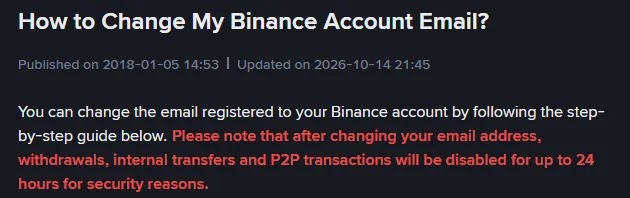
Changing the email when the old one still works
On the website:
- Log in, hover over the [Profile] icon, click [Account].
- Go to [Security]. Click [Manage] next to [Email].
- Click the [Edit] icon.
- Read the notes. They say two things: withdrawals, internal transfers and P2P will be disabled for up to 24 hours; and “your old email address cannot be used to re-register for 30 days.”
- Verify the request with your passkey or 2FA devices.
- Enter the new email address and click [Get Code]. Enter the code received at the new address and click [Submit].
- The email is updated. The hold of up to 24 hours starts.
Codes for this change go to the new address. If nothing arrives there, run through verification code not received before trying again.
Changing the phone number when the old one still works
Binance’s steps for the SMS verification number, on the website:
- Log in, hover over [Profile], click [Account].
- Go to [Security]. Click [Manage] next to [Phone Number].
- Click the edit icon next to the number.
- Read the notes and click [Continue]. The phone page’s hold is longer than the email one: up to 48 hours.
- Complete 2FA.
- Enter the new number and click [Get Code]. Enter the code received on the new number and click [Submit].
- The number is verified. The hold starts.
Enter the number without a leading zero and with the country selected in the drop-down. If the new number is in a country Binance does not send SMS to, the code will not arrive; Binance’s Supported Countries for SMS Verification page lists where codes are sent, and the alternative is to drop SMS in favour of an authenticator or passkey.
No access to the old email or phone number
The old email is closed, or the old number is dead.
You can still log in. Email and password plus a remaining second factor get you in. Then the change is the normal one above, because the verification step uses the passkey or the other 2FA method, not the contact being replaced. Do it as soon as you notice; every day the dead contact stays on the account is a day you cannot receive a code you might need.
You cannot log in, because the login wants a code at the dead contact. Use the reset route, described on Binance’s 2FA reset page:
- On the login page, enter your email or phone and press [Next]. If a passkey prompt appears, click [Cancel] and choose [My Passkeys Are Not Available]; if not, skip this.
- Enter your password.
- On the Security Verification Requirements page, select the method that is unavailable, for instance [Email], and click [Security verification unavailable?].
- On the Reset Security Verification page, tick every method you have lost, click [Confirm Reset], read the pop-up and click [Confirm].
- Verify with the methods you still have.
- “You may be asked to enter a new phone number and/or email address.” Enter it, click [Get Code], verify, [Submit].
- Wait. Success lets you log in with the new details; [Application Denied] means a method you ticked as lost still works, so check and retry; [Under Review] means a team is checking, which “may take up to 24 hours”.
After a reset, “withdrawals, P2P selling, internal transfers and payment services will be disabled for up to 48 hours”. If you have lost the password as well as every second factor, the reset page says to contact support through its own support entry. How to prepare for that conversation is in locked out of a Binance account.
Before you change your Binance email or phone number
- Have the new contact ready and reachable. A code goes to it during the change.
- Have a second method working. The change is verified “with your passkey or 2FA devices”, so an authenticator, passkey or the other contact must be available.
- Check the calendar. No withdrawals, internal transfers or P2P for up to 24 hours after an email change, or up to 48 hours after a phone change. Cancel or finish any P2P order first.
- Decide what the new email will be. This is a chance to move to an address you will keep; see email or phone for an exchange account.
How long withdrawals stop after changing email, phone or password
| Change | What stops | For how long | Can it be lifted early |
|---|---|---|---|
| Email changed | Withdrawals, internal transfers, P2P | Up to 24 hours (48 until 14 October 2026) | No |
| Phone number changed | Withdrawals, internal transfers, P2P | Up to 48 hours | No |
| 2FA reset (any method ticked as lost) | Withdrawals, P2P selling, internal transfers, payment services | Up to 48 hours | No |
| Password changed | Withdrawals, P2P selling, payment services, internal transfers | 24 hours | No |
Binance’s pages give the email hold as “up to 24 hours”, the phone and 2FA reset holds as “up to 48 hours”, and the password hold as 24 hours on the reset page (the older reactivation page says 24 to 48 hours for security operations in general). Whichever applies, the withdrawal screen shows a countdown, and the countdown is the figure that counts.
Does changing your email or phone affect referral, KYC or sub-accounts?
- The referral relationship. It is tied to the account, not the email.
- Identity verification. The verified name and document stay as they were. Changing those is a separate process in updating verified identity details.
- Sub-accounts. Each has its own login email.
- Whether the old email can open a new account. It cannot for 30 days, and there is no reason to: one person, one verified account.
An email says your Binance details were changed, but you changed nothing
An email from “Binance” telling you your contact details were changed when you changed nothing is either a phishing attempt or a sign someone has your password. Do not click anything in it. Log in by typing the address yourself, check the security settings and the activity log ([Account Activities] in the app, [Devices and Activities] on the website), and change the password from a trusted device. Genuine Binance mail carries the anti-phishing code you set; mail without it is not genuine.
Sources · checked October 2026
Steps and holds are from Binance’s “How to Change My Binance Account Email?” (updated 14 October 2026; the email hold was 48 hours until that update), “How to Reset My Phone Number for SMS Verification on the Binance Website?” (updated 11 March 2026) and “How to Reset 2FA When I Can’t Access My Binance Account?” (updated 18 March 2026). The password hold is from “How to Reactivate the Withdrawal Function for My Binance Account?” and Binance’s password reset page; the activity-log paths are from its anti-phishing SMS page. Check your country against Supported Countries for SMS Verification before relying on SMS, and read How to Change My Binance Account Email for the hold in force on the day you change.